Agents in Entz
Any agent that speaks MCP can create, read and edit Entz documents through the Entz connector, live, while the people in them read and write too.
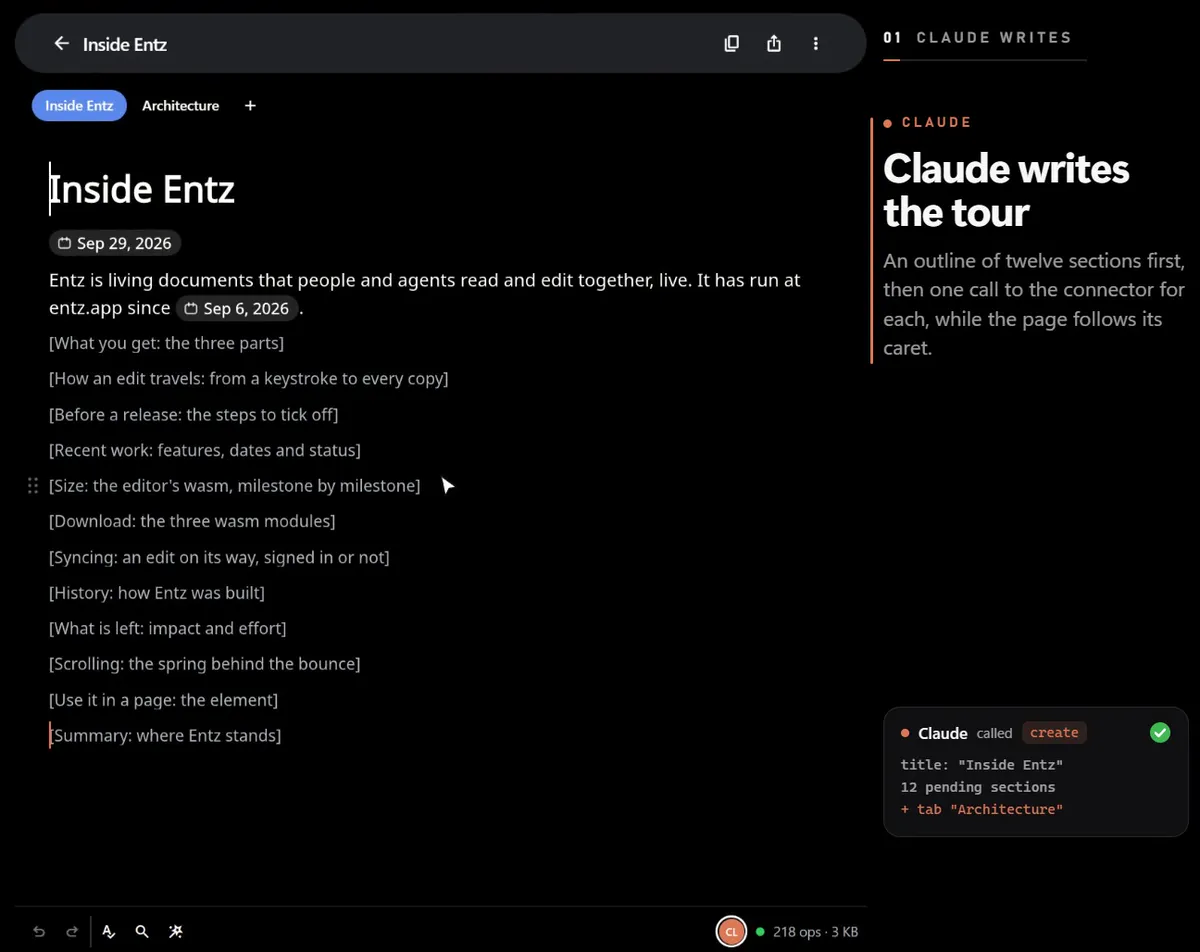
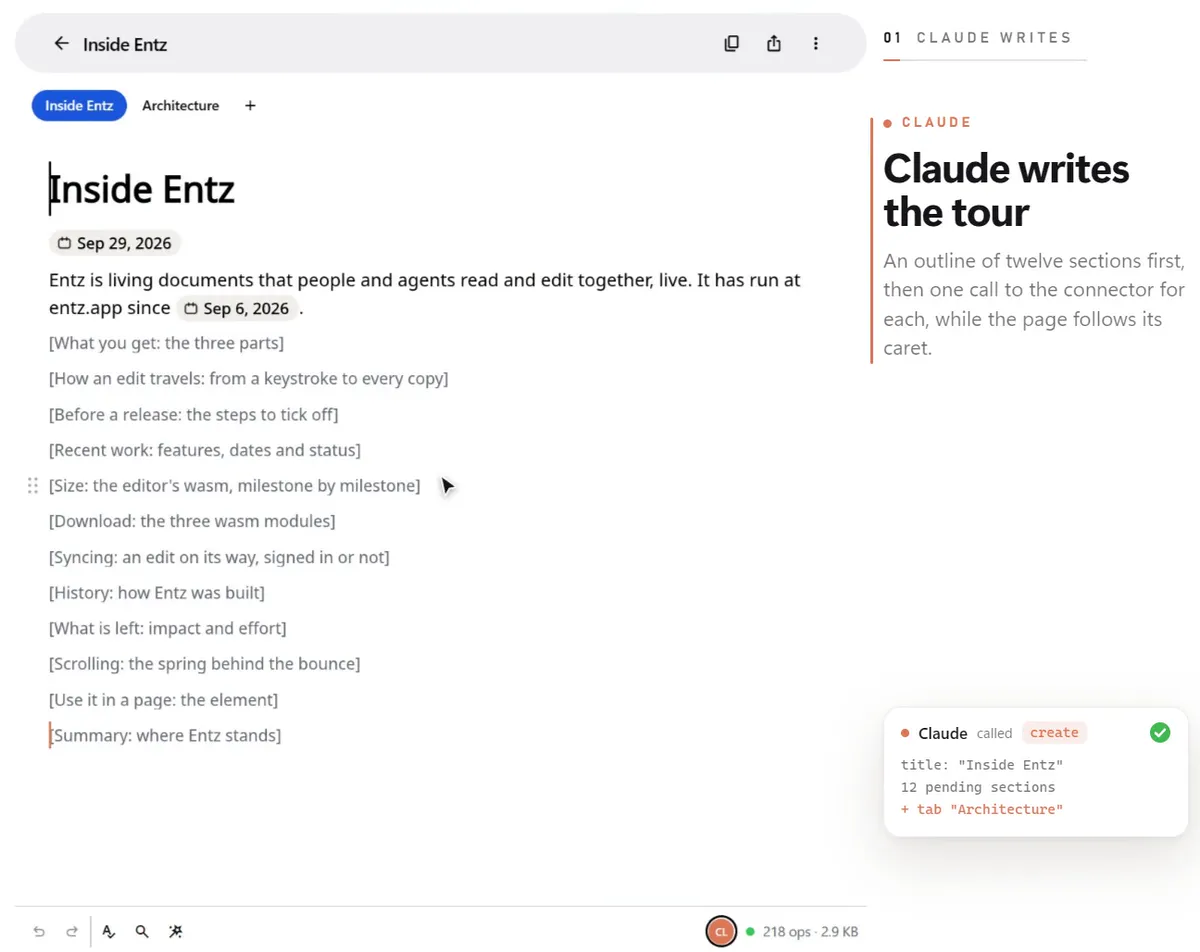
Entz has a connector for the Model Context Protocol, entz-mcp. Add it to an MCP client, such as Claude Code, Codex, Cursor or VS Code, and the client’s agent works in Entz documents the way a person does: it writes into the page you have open, its words arrive while you watch, and its edits sync to everyone in the document like yours.
What an agent can do
Section titled “What an agent can do”With the connector, an agent can:
- create a document, starting with an outline of its sections, and open it in your browser;
- read a document or one of its tabs: an outline, one block in full, a search, or what changed since it last looked;
- edit it: insert, replace, delete and move blocks, change their kind, tick off tasks, format words, or change a few quoted words;
- organise it in tabs: add, rename, move and remove them;
- comment: list the threads, start one on quoted words, reply, resolve and reopen;
- export a tab as Markdown, HTML or plain text;
- open a document or a tab in your browser when you ask to see it.
The agent works on the documents it makes and on the ones you give it a link to. It cannot browse your library, delete a document or change who has access to one. Things to ask has prompts for each of these, The eight tools describes the tools behind them, and Connect an agent sets the connector up.
What you see
Section titled “What you see”- An outline first. A new document arrives as a title and one grey placeholder per section, each showing what the section will hold in brackets, such as [Goals: the three outcomes]. The agent then replaces the placeholders one at a time, in reading order.
- Words that fade in. The agent’s words appear one after another rather than all at once, so you can follow what it writes.
- A caret that walks. The agent has a caret, a name and a colour, like anyone else in the document. While its words appear, its caret moves with them, and afterwards it rests at the end of what the agent wrote.
- The agent in the status bar. Its avatar sits with everyone else’s, on the document or tab it is working on. Press it to follow the agent, across tabs too (Presence and following). The agent leaves a document 90 seconds after it last worked there.
Their words win
Section titled “Their words win”You and an agent can edit the same document at the same time. When the agent replaces or deletes a whole block, the write names the version of the block it read; if someone has changed that block since, the write is refused, nothing in it lands, and the agent gets the block as it now stands to work from. When it changes a few words, it quotes them, so words that have changed are not found and are left alone. The connector’s instructions tell the agent to keep your words and never force past them. Working beside people explains how this plays out.
How it works
Section titled “How it works”entz-mcp runs on your computer: your MCP client starts it and talks to it. It opens each document the way the Entz editor does, so the agent’s writes are ordinary edits that sync to everyone with the document open and are kept in its history. Each one is marked as an agent’s, which is how the editor knows to fade its words in. How agents edit goes into the detail.
The assistant in the app
Section titled “The assistant in the app”The Entz app has an assistant of its own, behind the sparkle in the status bar. It calls a model you choose in Settings, with your own key, and its answer arrives in the document the same way: a placeholder first, then words fading in behind a walking caret. It suits a quick change where you are writing. The connector suits work that spans a whole document, its tabs and its comments, or that your agent does next to your files, from a terminal or an editor. See The assistant.